






Recommended







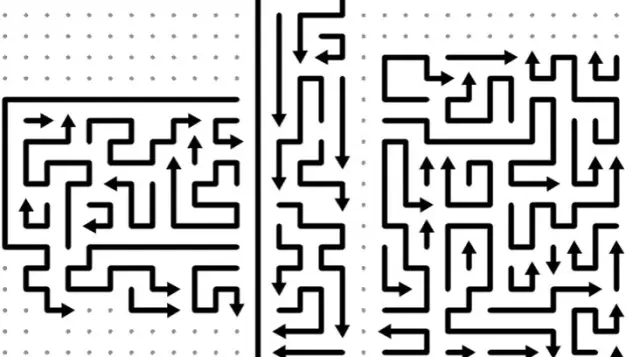




Escape Cube 3D
- Rating
- 5
- Orientation
- Portrait
- Release Date
- 2026-10-19
Escape Cube 3D Overview
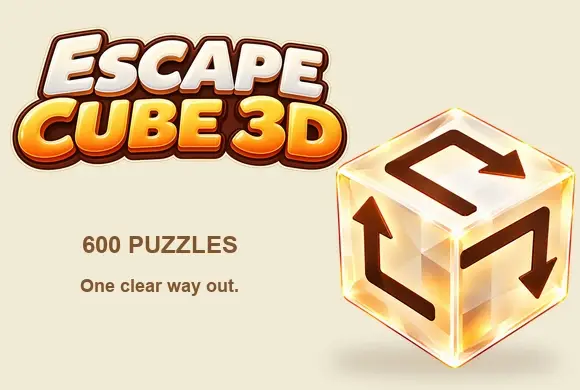
Escape Cube 3D is a minimalist 3D puzzle game built around one rule: an arrow can only be erased when no arrow on its face blocks the line it points along. Clearing an arrow frees the ones that pointed at it, so each face becomes an untangling puzzle. Tap an arrow to send it flying out along its direction; drag to rotate and view the other faces. Levels grow denser, so you need logic and speed. It runs in a browser with no install or account, on phone or desktop.
Key Game Features
Blocked-arrow logic: an arrow flies out only when no other arrow on the same face sits in the line it points to. Free-the-next: clearing an arrow frees the ones that pointed at it, so each face untangles on its own. No forced order: up to three faces are visible, and you can work them in any sequence and jump between them. Rotatable cube: long-press and drag to spin it and bring the other faces into view. Beat the clock: each level runs on a countdown, and zero means a loss. Three tools: an eraser clears any single arrow, a wand clears three at random, and a hint points to one you can clear now, each with one free use before ads. Auto-saved, instant browser play: hundreds of levels, no download and no in-app purchases.
How to Play
Goal: clear every arrow before the countdown hits zero. On a face, an arrow flies out only when nothing blocks the line it points along, so clearing an open arrow frees the ones that pointed at it. You see up to three faces and can work them in any order — no need to finish one first. Long-press and drag to rotate and reveal the rest. The top number counts arrows left. Stuck? The hint flags a clearable arrow, the wand removes three at random, and the eraser takes any single arrow. Each gives one free use.
Game Controls
Tap an open arrow to send it flying out. Long-press and drag anywhere on the cube to rotate it and view the other faces. Along the bottom sit three tools, left to right: eraser, magic wand, and hint. A settings gear sits top-left; the timer, hearts, and remaining-arrow count sit top-center and top-right. One-finger touch and mouse both work.
Frequently Asked Questions
Q: Is Escape Cube 3D free to play?
A: Yes. Escape Cube 3D is free and ad-supported, with no in-app purchases.
Q: Can I play Escape Cube 3D in my browser without downloading?
A: Yes. It runs instantly in a web browser with no download and no account, on phone or desktop.
Q: Is there a time limit in Escape Cube 3D?
A: Yes. Every level runs on a countdown, and reaching zero fails the attempt.
Q: How do I know which arrow to erase in Escape Cube 3D?
A: Erase any arrow whose pointing line is clear on its own face; blocked ones free up as their blockers leave. Faces have no set order, so work whichever of the visible three you like.
Q: Does Escape Cube 3D offer hints?
A: Yes. The hint light flags an arrow you can erase now, and extra uses of the hint, eraser, and wand unlock by watching an ad.

Halloween Blocks
 616.7K
Halloween 2048
891.8K
Mahjong Connect Halloween
283.6K
Dodo Mart
481.5K
Brain Shredder
305.6K
Bubble Jam
462.4K
Fruit Agent
690.0K
Block Puzzle Tropical Story
866.1K
Santa Jump
523.9K
WeDrink
556.1K